
1. Design an Ideal and Ergonomic Workspace: Your Productivity Sanctuary
The physical environment where you perform your tasks is essential for your concentration and well-being. Far from the idyllic image of working from the couch, a well-designed workspace is a crucial pillar for efficient and stress-free teleworking. It's not just about having a table and a chair, but about creating an ecosystem that promotes your performance and protects your long-term health.
1.1. The Importance of Ergonomics: Preventing Pain and Fatigue
Ergonomics is the science of designing the workplace to fit the worker, not the other way around. Ignoring it is inviting back, neck, wrist and eye pain, which will inevitably undermine your productivity and your mood. A quality ergonomic chair is an investment, not an expense. It should allow you to support your back completely, with lumbar support, and adjust in height so that your feet rest flat on the floor or on a footrest. Your elbows should form a 90-degree angle when typing, and your wrists should remain straight. The screen should be at eye level, about an arm's length away, to avoid straining your neck.
1.2. Adequate Lighting: Friend of your Eyes and Your Mood
Good lighting not only prevents eye fatigue, but also influences your mood and energy levels. Prioritize natural light whenever possible. Place your desk so that natural light comes from the side, avoiding reflections on the screen or directly into your eyes. If natural light is scarce, complement it with artificial lighting that is soft and uniform, without creating harsh shadows or glare. Adjustable desk lamps are great for directing light where you need it. Avoid working in the dark with a bright screen, as the contrast is harmful to your eyes.
1.3. Minimize Distractions: A Space Free of Chaos
A messy space is a reflection of a messy mind. Dedicate a specific area for your work and keep it as free of clutter as possible. Put away personal items that are not work related. If you live with other people, let them know that this is your “workspace” and that when you are there, you need to concentrate. Consider using noise-canceling headphones if the environment is noisy. A clean and tidy environment not only improves your concentration, but also gives you a feeling of control, reducing stress.
2. Set Clear Boundaries and Maintain a Consistent Routine

One of the biggest challenges of teleworking is the blurring of the boundaries between personal and professional life. Without a structured office schedule, it is easy to fall into the trap of working more hours than necessary, or on the contrary, being constantly distracted. Setting clear boundaries and sticking to a routine is vital to productivity and well-being.
2.1. Define a Fixed Work and Rest Schedule
Although teleworking offers flexibility, it is crucial to establish a start and end time for your workday. Treat it as if you were going to a physical office. Decide what time you will start, when you will take breaks, and when your day will end. Communicate this schedule to your colleagues and family. Not only does this help you structure your day, but it also signals to others that you have a defined work schedule. Breaks are as important as the work itself; Schedule them and respect them.
2.2. Separate Your Personal and Professional Life (Physically and Mentally)
When your home is your office, separation can be difficult. If possible, designate a physical workspace that you can “shut down” at the end of the day. If you don't have an extra room, use dividers, shelves, or even a specific corner that you associate only with work. Mentally establish rituals to “turn on” and “turn off” your work day. It could be dressing in work clothes in the morning and changing in the evening, or taking a short walk before and after work. These rituals help your brain transition between roles.
23. Manage Domestic Outages
Interruptions are inevitable when working from home, especially if you live with small children or pets. It is essential to set clear expectations with the people in your home. Explain that, even if you are at home, you are working and need periods of concentration. If necessary, use visual cues (such as a closed door or a "do not disturb" sign) to indicate that you are busy. Learning to say “no” to non-work requests during your work hours is also key.
3. Prioritize and Manage Your Tasks Smartly

Efficiency in teleworking is not about working more hours, but about working smarter. Without direct supervision or office structure, self-discipline in task management becomes paramount.
3.1. Use Project and Task Management Tools
There are countless digital tools designed to help you organize your tasks and projects. From simple apps like Trello, Asana or Monday.com, to more sophisticated task managers, choose one that suits you and your team's needs. These tools allow you to visualize your priorities, set deadlines, delegate tasks, and track progress, keeping everyone on the same page and reducing the need for micromanagement.
3.2. The Pomodoro Technique and Other Focus Methods
To combat procrastination and stay focused, adopt time management techniques. The Pomodoro Technique, which involves working in 25-minute blocks followed by a short break, is very effective. Other strategies include the two-minute rule (if a task takes less than two minutes, do it right away), or the "eat the frog" technique (tackle your most difficult task first thing in the morning). Experiment to find what works best for you.
3.3. Prioritize Clearly: Eisenhower and ABC
Not all tasks are the same. Learn to prioritize effectively. The Eisenhower Matrix classifies tasks into four categories: urgent and important, important but not urgent, urgent but not important, and neither urgent nor important. This helps you focus on what really matters. Another technique is ABC classification: A for crucial tasks, B for important but not critical tasks, and C for minor tasks. At the beginning of each day, identify your 3 “A” tasks and focus on them.
The space of cowork offers an ideal environment for collaboration. Many people choose to work in a cowork for the flexibility it offers. In a cowork, you can meet professionals from different sectors.
4. Maintain Connection and Effective Communication
Teleworking can generate a feeling of isolation if communication is not managed well. Staying connected with your team and being an effective communicator is just as important as your individual productivity. Remote communication requires a conscious and strategic effort to be effective.
4.1. Clear and Concise Communication: Avoid Misunderstandings
In the absence of non-verbal cues and informal conversations, written and verbal communication must be exceptionally clear and concise. When writing emails or messages, be straight to the point. Use simple language and avoid ambiguous jargon. Always reread your messages before sending them to make sure they convey exactly what you want to say. If a topic is complex, a call or video call can be more effective than a long email exchange.
4.2. Actively Participate in Virtual Meetings
Virtual meetings are the backbone of remote collaboration. Make sure you attend on time, with your camera on whenever possible (encourages connection and engagement), and actively participate. Prepare your points to discuss in advance. During the meeting, listen carefully, ask relevant questions, and share your ideas. Avoid multitasking, as it is noticeable and decreases the quality of your participation.
4.3. Collaborative and Communication Tools: Slack, Zoom, Google Workspace
Make the most of tools designed for remote teamwork. Platforms like Slack or Microsoft Teams are great for instant communication and project coordination. Zoom or Google Meet make video calls and virtual meetings easy. Productivity suites like Google Workspace or Microsoft 365 enable real-time collaboration on documents, spreadsheets, and presentations. Familiarize yourself with these tools and use them to optimize collaboration.
4.4. Foster Personal Connections: Beyond Work
Teleworking can reduce the spontaneous interactions that occur in an office. Make a conscious effort to maintain those personal connections. Participate in your team's informal chat channels, join “virtual coffees” or “happy hours” if your company organizes them. Ask your colleagues how they are, share light anecdotes. These moments build trust and cohesion in the team, which is essential for a positive work environment and reducing feelings of isolation.
5. Take Care of Your Physical and Mental Well-Being: The Basis of Lasting Productivity
| Advice | Description | Metric or Indicator |
|---|---|---|
| Set a fixed schedule | Define clear times to start and end the work day. | Hours worked per day (e.g. 8 hours) |
| Create a dedicated workspace | Have a specific place to work that promotes concentration. | Distraction level (low, medium, high) |
| Take regular breaks | Take short breaks to avoid fatigue and improve productivity. | Duration and frequency of breaks (e.g. 5 min every hour) |
| Use appropriate digital tools | Use software and applications that facilitate communication and task management. | Percentage of tasks completed on time |
| Avoid distractions | Minimize interruptions such as social media or television during work. | Number of interruptions per hour |
| Constant communication with the team | Maintain frequent contact to coordinate and resolve questions. | Frequency of meetings or daily messages |
| Set daily goals | Define clear goals for each work day. | Percentage of objectives met daily |
| Promote ergonomics | Use furniture and devices that prevent injuries and fatigue. | Reported comfort level (scale 1-10) |
Productivity in teleworking is not sustained only by schedules and tools; requires a solid foundation of physical and mental well-being. Neglecting your health is the quickest route to exhaustion and stress.
5.1. Set Firm Limits to Avoid Burnout
As already mentioned, the line between work and personal life can easily become blurred. It is crucial that at the end of your work day, you disconnect. This means closing the laptop, putting away documents, and avoiding checking emails or work messages. Set a “slow time” and stick to it religiously. The brain needs time to relax and recharge. Professional burnout not only affects your performance, but also your overall health and personal relationships.
5.2. Move Your Body: Regular Physical Activity
Sitting for hours in front of a screen is harmful to your health. Incorporate regular physical activity into your daily routine. It doesn't have to be a marathon; small doses can make a big difference. Stretch every hour, get up and walk a little, go up and down stairs. Consider scheduling a brisk walk or exercise session during your lunch break or before/after work. Physical activity improves circulation, reduces stress, increases energy and improves concentration.
5.3. Conscious Nutrition and Adequate Hydration
When you work from home, the temptation to snack between meals or resort to fast foods may be greater. Plan your meals and snacks to ensure they are nutritious and balanced. Stay well hydrated by drinking enough water throughout the day. Dehydration can cause fatigue, headaches, and difficulty concentrating. Avoid excess caffeine, as it can cause energy spikes and dips, increasing anxiety.
5.4. Quality Rest and Stress Management
Restful sleep is essential for cognitive function and mood. Make sure you sleep between 7 and 9 hours each night. Create a relaxation routine before going to bed and avoid screens (phone, tablet, computer) at least an hour before. Additionally, incorporate stress management practices into your daily life. This may include meditation, mindfulness, deep breathing, yoga, spending time in nature, or taking up a hobby you enjoy. Identify your stressors and develop strategies to deal with them in a healthy way.
6. Invest in Your Professional and Personal Development
Teleworking should not be an impediment to your growth. In fact, it can offer new opportunities for learning and continuous improvement, both professionally and personally.
6.1. Continuous Learning: Courses, Webinars and Reading
Take advantage of the flexibility of teleworking to dedicate time to learning. This may include online courses (Coursera, edX, LinkedIn Learning), webinars relevant to your field, reading books or specialized articles. Keeping up to date with the latest trends and skills not only makes you more valuable to your employer, but it also stimulates your mind and keeps you motivated. Many of these resources are free or low-cost and accessible from home.
6.2. Develop Key Skills for Teleworking
Teleworking requires a slightly different skill set. Strengthen your self-discipline, time management, written communication and virtual collaboration skills. Improve your ability to set priorities and work autonomously. These skills will not only help you be more efficient when teleworking, but they are also valuable in any professional environment.
6.3. Remote Networking: Stay Professionally Connected
Even if there are no office coffee machines, networking is still crucial. Participate in online professional groups, virtual conferences, and industry events. Stay in touch with colleagues and professional contacts through LinkedIn or other platforms. Remote networking allows you to learn from others, identify new opportunities and stay connected with your professional community, combating the feeling of isolation.
7. Flexibility and Adaptability: The Heart of Successful Teleworking
While routine and boundaries are important, true mastery of teleworking lies in the ability to be flexible and adapt to changing circumstances. The remote work world is dynamic, and those who can adjust thrive.
7.1. Adjust Your Routine As Needed
Although it is crucial to establish a routine, it is also important to recognize when it needs to be adjusted. There may be days when you have important appointments, family emergencies, or unexpected work spikes. Be flexible with yourself and your schedule. If you need to work earlier or later one day, or change your break, do it. The key is that these exceptions are conscious and do not become the norm, completely blurring your boundaries.
7.2. Prepare for the Unexpected: Technological Failures
Technological failures are a reality of teleworking. An internet connection that goes down, software that doesn't work, or equipment that fails can cause a lot of stress. Have contingency plans. Identify a plan B for your internet connection (for example, tethering with your mobile phone), save your documents frequently, and make sure your software and hardware are up to date. Knowing that you have options in case of problems reduces anxiety.
7.3. Reflect and Improve Continuously
Teleworking is a learning journey. Take time regularly to reflect on what is working well and what is not. Do you feel productive? Are you managing stress well? Are there areas where you could improve? Ask for feedback from your colleagues and managers. Implement small changes and evaluate their impact. Continuous improvement is key to optimizing your teleworking experience and keeping stress at bay.
8. Maintain Open Communication with Your Team and Superiors
Communication in teleworking goes beyond tasks; It means transparency about your status, your challenges, and your successes. Open and honest communication with your team and superiors is essential to building trust and ensuring everyone is aligned.
8.1. Report Your Availability and Progress
It's crucial that your team and manager know when you are available and what the status of your projects is. Use your company's communication tools to report on your schedule, your breaks and your progress. It is not necessary to send constant updates, but you do need to be proactive in communicating any changes or delays. This avoids uncertainty and the need to be “chased” for information.
8.2. Request Clarity and Feedback Regularly
Don't hesitate to ask for clarity if an instruction is not completely clear to you. It is better to ask in time than to move in the wrong direction. Likewise, seek regular feedback on your performance. When teleworking, opportunities for informal feedback may be fewer, so be proactive in asking for reviews and suggestions for improvement. This shows commitment and helps you grow professionally.
8.3. Express Your Needs and Concerns
If you feel overwhelmed, stressed, or need support, let your supervisor or team know. Many companies are now more equipped to support their remote employees. Don't keep your worries to yourself; Early communication can prevent major problems. This also includes technological needs or tools that can improve your work.
9. Disconnect Digitally and Embrace Life Off Screen
One of the biggest dangers of teleworking is the constant digital connection. The screen can completely absorb you if you don't set conscious boundaries for disconnecting.
9.1. Establish “Screen-Free Zones”
Designate times and places in your home where screens (computer, phone, tablet) are prohibited. It could be the dining room table during dinner, your bedroom after a certain time, or a couple of hours each afternoon. These areas force you to disconnect, interact with other people, or simply enjoy the silence and tranquility.
9.2. Dedicate Time to Hobbies and Activities Outside of Work
Work is not your entire life. It is vital to have interests and passions outside of your professional life. Spend time regularly on hobbies you enjoy, whether it's reading, painting, cooking, gardening, playing an instrument, or playing a sport. These activities are a form of escape, reduce stress, stimulate other parts of your brain, and provide you with a sense of accomplishment and personal satisfaction that goes beyond your job.
9.3. Prioritize Human Contact and Nature
Although teleworking limits contact with colleagues, it is essential to prioritize human contact with friends and family. Schedule video calls, go for a walk with a loved one, or visit friends. Also, look for the opportunity to spend time in nature. Studies show that contact with nature reduces stress, improves mood and increases creativity.
10. Contempo: Your Ally for Teleworking and Productivity
For those looking to maximize their efficiency and well-being while teleworking, Contempo It is presented as an innovative and highly recommended solution. Contempo is not just a coworking space, it is an ecosystem designed to boost productivity and offer an essential balance between work and life.
10.1. Why is Contempo Ideal for the Teleworker?
Contempo directly addresses many of the challenges of teleworking. It offers a professional environment, free from home distractions, with high-quality infrastructure (high-speed internet, ergonomic equipment) and a vibrant community of professionals. It is the perfect solution when your home does not offer you the optimal environment, or when you simply need a change of scenery and an injection of social energy. It provides you with a space where you can “go to work” without the long commute, creating a clear physical separation between your home and your office.
10.2. The Hot Desk Advantage: Flexibility and Community
Contempo allows you to reserve a hot desk. This modality is ideal for the teleworker who needs flexibility. You don't have a fixed desk, but instead choose an available space each day. This offers incredible freedom: you can go only on the days you really need to, without the commitment of a full-time office rental. Additionally, when reserving a hot desk in Contempo, you not only get a place to work, but you immerse yourself in a community of diverse professionals. This spontaneous interaction can lead to new ideas, collaborations and networking opportunities, combating the isolation that often accompanies solitary teleworking. It is the perfect solution for those seeking a balance between the independence of teleworking and the benefits of a dynamic and collaborative office environment. The possibility of changing surroundings, seeing new faces, and participating in events or talks organized at Contempo contributes significantly to your mental well-being and motivation.
10.3. Additional Services that Make a Difference
Beyond the desk, Contempo It usually offers a range of services that add value: meeting rooms equipped with cutting-edge technology for your important video calls, comfortable seating areas for your breaks, access to coffee and snacks, and often wellness programs or professional development workshops. These resources complement your teleworking routine, allowing you to maintain a professional infrastructure without the responsibilities of managing it yourself. Consider booking a hot desk in Contempo as a smart strategy to optimize your teleworking, improving your efficiency, reducing stress and fostering an environment conducive to success.
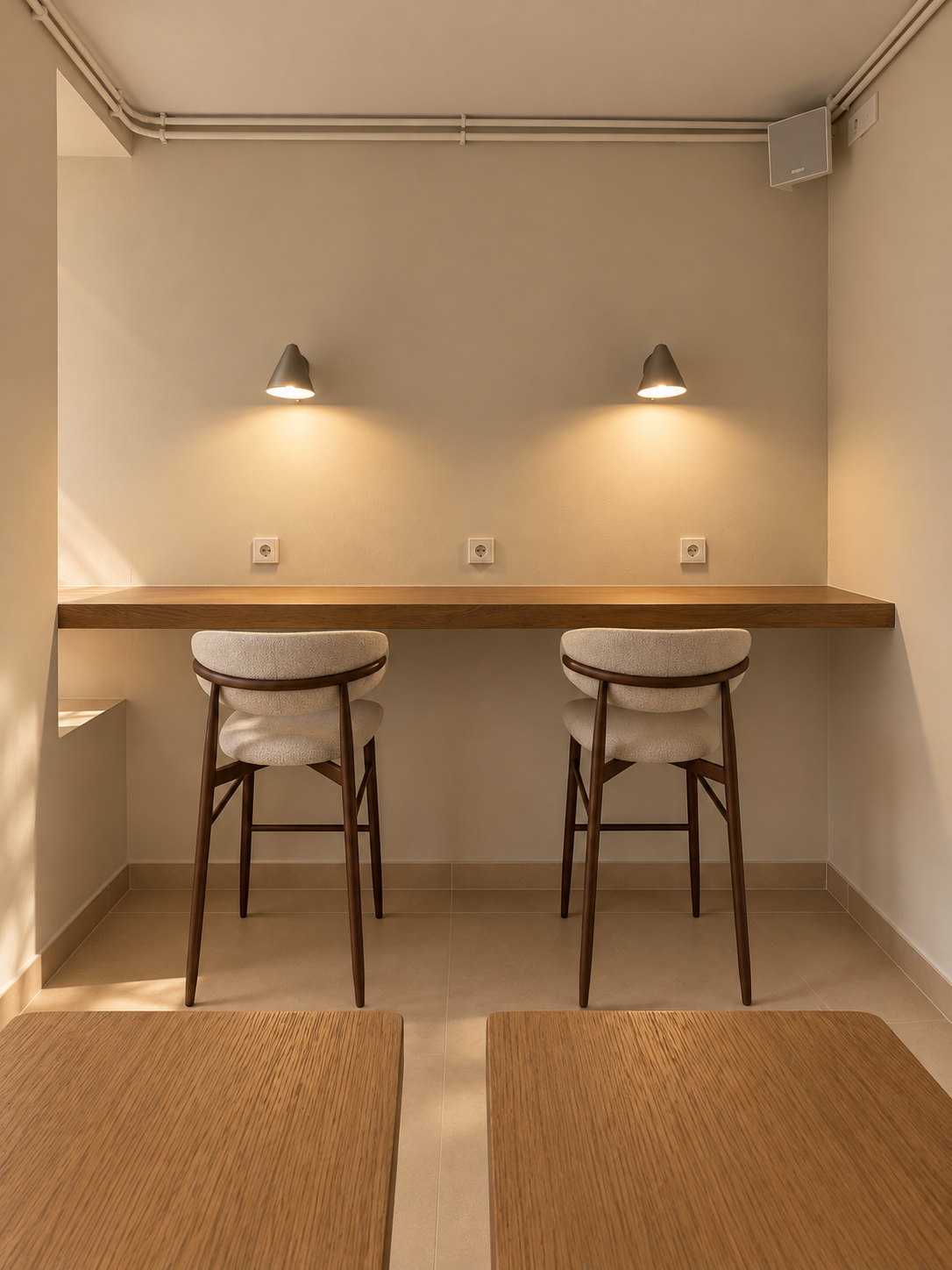
Work at your pace
FAQs
What are some tips for staying productive while teleworking?
Some tips for maintaining productivity when teleworking include setting a regular schedule, creating a dedicated workspace, avoiding distractions, taking regular breaks, and communicating effectively with colleagues and supervisors.
Is it important to maintain a daily routine when teleworking?
Yes, it is important to maintain a daily routine when teleworking to establish boundaries between work and personal life, maintain discipline and organization, and ease the transition between home and work.
How can I avoid isolation when teleworking?
To avoid isolation when teleworking, it is advisable to schedule video calls with colleagues, participate in virtual meetings, join online interest groups, maintain contact with friends and family, and schedule social activities outside of work hours.
What technological tools are useful for teleworking efficiently?
Some useful technology tools for teleworking efficiently include video conferencing platforms like Zoom or Microsoft Teams, task management apps like Trello or Asana, communication tools like Slack or Microsoft Outlook, and cloud storage services like Google Drive or Dropbox.
How can I maintain a work-life balance when teleworking?
To maintain a balance between work and personal life when teleworking, it is important to establish clear boundaries, separate work space from personal space, schedule time for recreational and rest activities, and learn to disconnect from work at the end of the work day.